
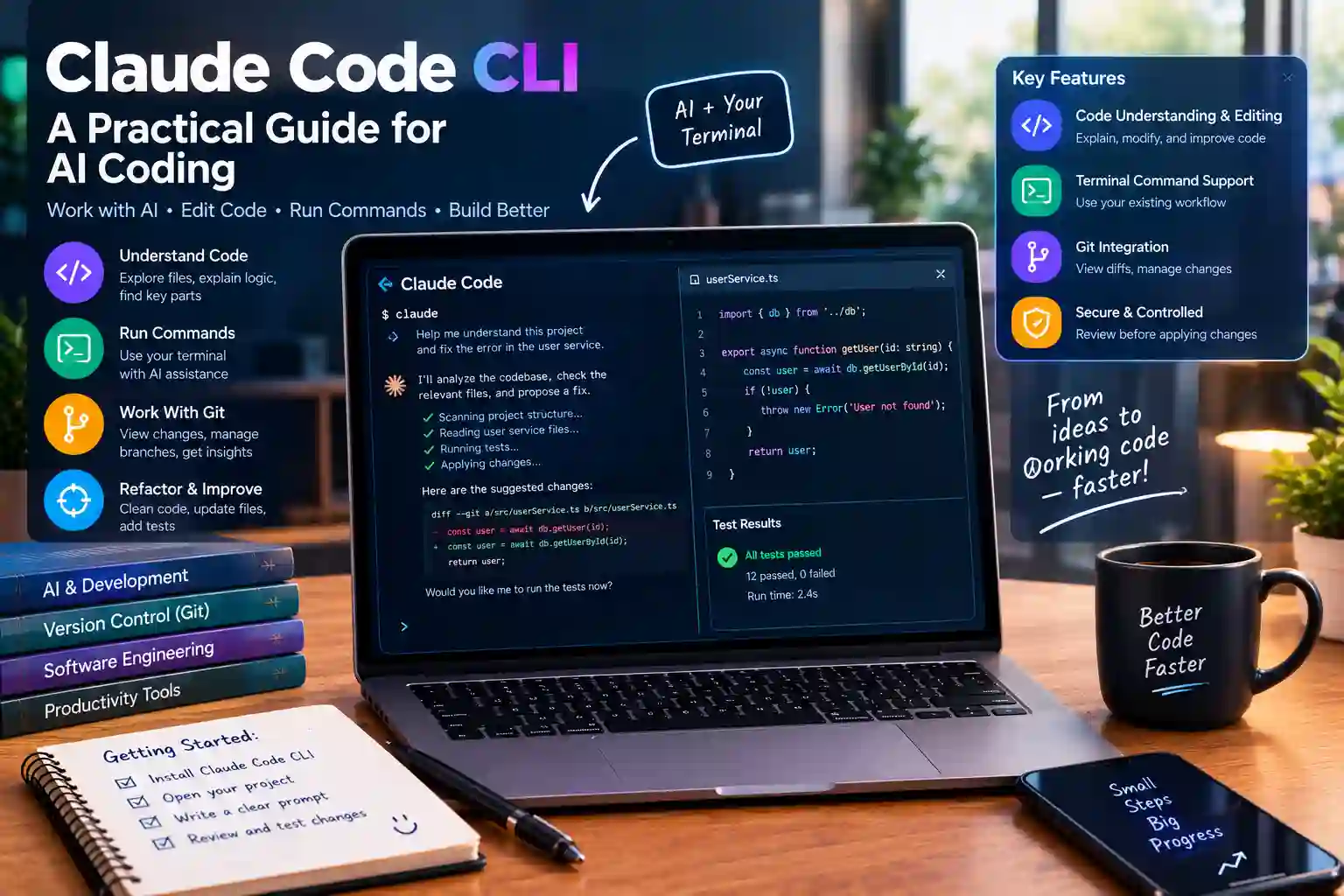
Modern software development can involve many repetitive tasks. Developers often search files, inspect code, run tests, fix errors, and manage Git changes. These tasks can take valuable time, especially inside large projects. Claude Code CLI gives developers a way to work with an AI coding assistant directly from the terminal. It can help inspect projects, modify files, explain code, and support development workflows.
Working with an AI assistant also creates new challenges. Developers need to understand permissions, project context, command execution, and code review. An assistant can make useful changes, but those changes still need human review. Therefore, learning how Claude Code works can help developers use its capabilities with better control and clearer expectations.
What Is Claude Code CLI?
Understanding Claude Code CLI
Claude Code CLI is a terminal-based coding assistant from Anthropic. It allows developers to interact with Claude while working inside a software project. Instead of moving code into a separate chat window, developers can work from the command line. This setup lets the assistant operate around the files and tools used by the project.
The tool is designed for software development tasks rather than general conversation alone. It can inspect project files, reason about code, suggest changes, and assist with development commands. Therefore, developers can use it during debugging, refactoring, testing, and other coding workflows.
Why Developers Use a Terminal Assistant
A terminal provides direct access to a project’s working environment. Developers already use terminals for Git, package managers, testing tools, compilers, and deployment commands. Adding an AI assistant to that environment can reduce the need to switch between different applications.
As a result, development tasks can become more connected. A developer can describe a problem, let the assistant inspect relevant files, and review suggested changes. This workflow can be especially useful when a project contains many folders and files.
Claude Code and Generative AI
The technology behind coding assistants belongs to the wider field of generative AI. These systems can process instructions and produce useful outputs based on the available context. Developers who want a broader background can explore generative AI models to understand how modern AI systems support different tasks.
However, coding assistants have a more specific purpose. They need to understand source code, project structure, commands, and developer instructions. Consequently, coding workflows require more context than a simple text-generation request.
How Claude Code CLI Works
Starting a Project Session
A typical workflow begins inside a project directory. The developer opens a terminal and starts a Claude Code session. The assistant can then work with the project context available through the environment and permitted operations.
This approach creates a more natural coding workflow. The developer does not need to explain every filename manually. Instead, the assistant can inspect relevant project information when needed. Still, developers should provide clear instructions for complex tasks.
Reading Files and Project Structure
One important capability is understanding existing project files. Software projects often contain configuration files, source folders, tests, documentation, and dependency files. Finding the correct files manually can take time.
Claude Code can help explore this structure and identify relevant areas. For example, a developer could ask why a feature fails. The assistant may inspect related source files and tests before suggesting a possible solution. This process can make debugging more organized.
Making Changes With Context
Code changes are more useful when they match the existing project style. A good coding assistant should consider surrounding functions, naming patterns, dependencies, and related files. Claude Code can use project context while working on requested changes.
However, context does not remove the need for review. Developers should inspect modifications before accepting them. This is especially important for security-sensitive code, database operations, authentication, and production systems.
Main Features of Claude Code CLI
Code Understanding and Editing
Claude Code CLI can help developers understand unfamiliar code. It can explain functions, identify relationships between files, and summarize parts of a project. This can help developers join an existing codebase.
The assistant can also help with requested edits. For example, a developer may ask for a function to support another input type. The assistant can inspect the existing implementation and propose related changes. Developers can then review the result before applying it.
Terminal Command Support
Terminal commands are central to many development workflows. Developers use commands for testing, building, installing packages, checking files, and managing repositories. An AI assistant can help organize these steps.
Claude Code can work with command-line workflows when the required permissions and environment allow them. Developers should understand what a command does before allowing potentially risky operations. This habit helps prevent accidental changes to files or systems.
Git and Version Control Workflows
Git is widely used for tracking software changes. Developers often create branches, inspect differences, review commits, and manage project history. An AI coding assistant can help explain Git changes and support related workflows.
For example, a developer can ask for a summary of recent modifications. The assistant can help identify changed files and explain their purpose. Nevertheless, developers should retain control over commits and repository history, especially in shared projects.
How to Install and Start Claude Code CLI
Checking the Official Installation Method
Installation methods can change as software evolves. Therefore, developers should use Anthropic’s official Claude Code documentation for the current installation process. The official documentation is the appropriate source for supported platforms, authentication steps, and updated requirements.
This approach also reduces problems caused by outdated tutorials. Third-party guides can remain online long after installation instructions change. Consequently, developers should treat older installation commands carefully and confirm them against current documentation.
Preparing the Development Environment
Before using a coding assistant, the project environment should be reasonably organized. Source files should have clear names, dependencies should be documented, and important configuration should remain protected. A clean environment gives the assistant better context.
Developers should also avoid exposing secrets through project files or terminal output. API keys, passwords, private tokens, and credentials require special care. Good security practices remain important even when an AI assistant is involved.
Starting With a Small Task
New users can begin with a small coding request. For example, the developer can ask the assistant to explain a function or locate where a feature is implemented. This creates a low-risk way to understand the workflow.
After gaining confidence, developers can request larger changes. They might ask for a bug investigation, test creation, or focused refactoring. Gradual use helps developers learn how the assistant behaves inside their particular project.
Claude Code CLI for Debugging
Finding the Source of an Error
Debugging often starts with incomplete information. A developer may only have an error message and a failing test. Finding the source can require checking several files and tracing how data moves through the application.
Claude Code can help organize this investigation. The developer can provide the error and ask the assistant to inspect relevant code. The assistant may identify possible causes and suggest tests or changes for verification.
Working With Tests
Tests provide an important safety layer during AI-assisted coding. When a change is requested, existing tests can help show whether important behavior still works. New tests can also protect a fix from future regressions.
A developer can ask Claude Code to examine related tests before changing implementation code. This creates a stronger connection between the requested feature and existing project behavior. Still, test results should be reviewed rather than accepted blindly.
Explaining Complex Errors
Some errors involve several layers of software. A problem might involve application code, a package, configuration, and an external service. Such problems can become difficult to trace manually.
Claude Code can help explain the relationships between those components. It can summarize likely causes and suggest a structured investigation. Therefore, the tool can be useful even when it does not immediately solve the problem.
Claude Code CLI for Refactoring
Improving Existing Code
Refactoring changes code structure without changing its intended behavior. Developers may refactor code to improve readability, reduce duplication, or make future updates easier. Large refactors can involve many connected files.
Claude Code can help identify repeated patterns and related code. It can then assist with focused restructuring. Developers should keep changes small when possible, because smaller changes are easier to review and test.
Updating Multiple Files
Some features require coordinated changes across a project. A new function may require updates to source files, tests, documentation, and configuration. Missing one connected file can create new problems.
An AI assistant can help identify these relationships. However, developers should still verify the complete change set. Version control makes this review easier because every modification can be inspected before merging.
Keeping Refactors Safe
Safe refactoring depends on clear goals and frequent checks. Developers can ask the assistant to make one logical change at a time. Tests can then run after each important stage.
This approach also makes mistakes easier to reverse. If a change causes a failure, the developer can identify which step introduced the problem. Therefore, controlled iteration is usually safer than requesting a huge rewrite.
Claude Code CLI and AI-Assisted Development
Human Developers Remain in Control
AI coding tools can speed up development, but they do not replace developer responsibility. Human developers understand business requirements, security rules, user expectations, and production risks. Those areas often require context that code alone cannot provide.
For this reason, Claude Code should be treated as an assistant rather than an automatic decision maker. Developers can delegate repetitive investigation while retaining final control. This creates a more balanced development process.
Reviewing AI-Generated Changes
Every meaningful code change deserves review. Developers should inspect the actual diff and compare it with the original requirement. They should also check tests, dependencies, error handling, and security implications.
Code review becomes even more important when changes affect sensitive systems. Authentication, payment processing, personal data, and infrastructure require careful human oversight. AI assistance can support these tasks, but responsibility remains with the development team.
Understanding Model Limitations
AI systems can produce incorrect answers or misunderstand project requirements. They may also make assumptions when important context is missing. Therefore, developers should treat generated suggestions as proposals that require validation.
A useful workflow combines AI speed with traditional engineering checks. Documentation, tests, code review, and version control still matter. Together, these practices reduce the risk of accepting an incorrect solution.
Security Considerations for Claude Code CLI
Protecting Secrets and Credentials
Software projects often contain sensitive information. Environment variables, API keys, database credentials, and private certificates should receive special protection. Developers should understand which files and commands may expose these values.
Before using any AI coding assistant, sensitive data should be handled carefully. Secret files should remain excluded from source control where appropriate. Developers should also review commands that interact with external services.
Reviewing Command Permissions
Command execution can create more risk than simple text generation. A command may delete files, modify dependencies, change configuration, or interact with external systems. Therefore, developers should understand potentially destructive actions before approving them.
A careful workflow uses permissions and review steps appropriately. Developers can start with read-only investigation before allowing modifications. This provides a safer path for learning the tool.
Avoiding Unsafe Automation
Automation can save time, but excessive automation can also create mistakes. A developer should avoid giving broad instructions when the requested task is unclear. Specific goals produce easier-to-review results.
For example, a focused request can identify the target file and expected behavior. A broad request may cause unnecessary changes across the project. Therefore, clear instructions are an important part of safe AI-assisted development.
Best Practices for Using Claude Code CLI
Give Clear Development Instructions
AI assistants perform better when tasks have clear goals. Developers should explain the desired result, relevant constraints, and important project rules. If tests must pass, that requirement should also be stated.
Clear instructions reduce unnecessary exploration. They also make the final changes easier to compare with the original goal. Consequently, good prompts can improve both efficiency and reliability.
Work in Small Steps
Large software changes can contain many hidden dependencies. A developer may get better results by dividing the work into smaller stages. Each stage can then be reviewed before the next one begins.
For example, the workflow can start with investigation. The next stage can add a test, followed by the implementation. Finally, the developer can review the full change. This process creates useful checkpoints.
Keep Project Instructions Consistent
Large projects often contain coding standards and workflow rules. These may cover naming, testing, architecture, formatting, or security. Consistent project instructions help an AI assistant follow the team’s expectations.
Developers should therefore keep important guidance easy to find. Clear project documentation can improve both human and AI collaboration. Over time, this can make repeated development tasks more predictable.
When Claude Code CLI Can Be Useful
For Individual Developers
Individual developers often manage several development tasks at once. They may need to research unfamiliar code, fix bugs, write tests, and update documentation. A terminal assistant can help reduce repetitive work.
This can be useful during learning as well. A developer exploring an unfamiliar framework can ask for explanations of existing code. The assistant can then provide context without requiring every file to be studied manually.
For Software Teams
Teams can use AI coding tools as part of existing development processes. Developers may use them for investigation, documentation, test creation, or controlled code changes. However, team policies should define how AI-generated changes are reviewed.
Shared standards can make AI use more consistent. Teams can decide which tasks require additional approval. They can also define rules for sensitive repositories and confidential information.
For Complex Projects
Large projects can contain thousands of files and many dependencies. Finding one relevant function may require substantial investigation. An AI assistant can help narrow the search and explain connections between components.
Even so, complexity increases the need for careful review. A small change can sometimes affect unrelated functionality. Therefore, developers should combine AI assistance with tests and version control.
Claude Code CLI Compared With Traditional Coding Workflows
Traditional Terminal Work
Traditional terminal workflows depend heavily on developer knowledge and manual commands. Developers search files, inspect logs, run tests, and make changes themselves. This method provides direct control over every step.
However, manual investigation can take time. Developers must remember commands and understand where relevant code exists. AI assistance can reduce some of that search effort while keeping the terminal as the main workspace.
Chat-Based Coding Assistance
Chat-based coding tools can help explain code and generate snippets. However, developers often need to copy project context into the conversation. This can become inconvenient for large repositories.
A terminal-based approach can work closer to the actual development environment. That difference can make repository-level tasks more practical. Still, the best workflow depends on the project and developer preferences.
AI-Assisted Terminal Development
Claude Code CLI combines natural language instructions with command-line development. Developers can describe a task while the assistant works within the project context. This creates a bridge between traditional terminal work and AI assistance.
The main advantage comes from workflow integration. The assistant can help investigate, edit, test, and explain code in one environment. Yet human review remains essential for dependable software development.
How to Get Better Results From Claude Code CLI
Describe the Desired Outcome
A useful request should explain what success looks like. Instead of asking for a vague improvement, the developer can describe the exact behavior required. This gives the assistant a clearer target.
The request can also include limitations. For example, the developer may require an existing API to remain unchanged. Such details help prevent unnecessary modifications and improve review quality.
Mention Important Constraints
Projects often have rules that affect implementation choices. A project may require a certain language version, testing framework, or database pattern. These constraints should be included when they matter.
Clear constraints can also reduce wasted work. The assistant has less reason to explore unsuitable approaches. As a result, developers can reach a useful solution more efficiently.
Review the Final Diff
The final diff provides a direct view of what changed. Developers can use it to compare the implementation with the original request. This step can reveal unnecessary edits, formatting changes, or accidental modifications.
Testing should follow the review. If tests fail, the developer can investigate the cause before merging. Therefore, the combination of diff review and testing provides an important safety layer.
Before Using Claude Code CLI in a Real Project
Check Repository Safety
A project should have reliable version control before major AI-assisted changes begin. Git provides a way to inspect modifications and restore earlier states. This protection becomes useful when testing larger changes.
Developers should also understand the repository’s branch strategy. Production branches may require stricter controls than personal development branches. Clear boundaries help prevent accidental changes to important code.
Review Dependencies Carefully
AI-assisted coding can sometimes introduce new packages. New dependencies may affect security, licensing, performance, or maintenance. Therefore, developers should review every added package before accepting it.
Existing dependencies should also be checked when fixing problems. An update may solve one issue while creating another. Consequently, dependency changes deserve the same care as source-code changes.
Protect Production Systems
Production environments deserve extra caution. Development and testing should normally happen away from live systems when possible. Commands that affect infrastructure require additional review.
AI tools can assist with infrastructure tasks, but they should not remove established safety controls. Approval processes, backups, access rules, and monitoring remain important. These safeguards protect both the project and its users.
Related AI Development Tools and Concepts
Exploring Other AI Tools
Claude Code belongs to a larger ecosystem of AI development tools. Developers may also explore platforms focused on writing, research, automation, image creation, or software development. Each tool can have different strengths and workflows.
For example, Flint AI can provide additional context for readers exploring AI tools and platforms. Such resources can help developers compare different approaches without assuming that one tool fits every project.
Understanding AI Tool Selection
Choosing an AI tool should depend on the actual task. Developers may prioritize code quality, project context, privacy, speed, integrations, or workflow design. Different tools can provide different combinations of these features.
Therefore, developers should define their needs before choosing a platform. A tool that works well for code explanation may not fit repository automation. Similarly, a tool built for general writing may not support deep development workflows.
Building a Balanced AI Workflow
A balanced workflow combines AI assistance with established engineering practices. Developers can use AI for exploration, drafting, testing support, and repetitive work. Human review can then handle important decisions and risk assessment.
This approach provides a practical middle ground. It avoids treating AI as either a complete replacement or an unnecessary tool. Instead, developers can use it where it creates clear value.
FAQs About Claude Code CLI
What is Claude Code CLI?
Claude Code CLI is a terminal-based coding assistant from Anthropic. It helps developers work with code, project files, commands, and development tasks. It is designed to operate within a developer’s coding workflow.
Is Claude Code CLI a normal chatbot?
Claude Code can use natural language, but its purpose is more specific than ordinary chat. It is designed for software development workflows and project-level coding tasks. Its terminal environment makes it different from a basic conversational interface.
Can Claude Code edit project files?
Claude Code can assist with requested code changes and file edits when the environment and permissions allow them. Developers should review those changes before accepting them. Version control can provide an additional safety layer.
Can Claude Code run terminal commands?
Claude Code can work with terminal commands when appropriate permissions are available. However, developers should review commands that can modify files, dependencies, or external systems. Destructive actions require particular caution.
Is Claude Code useful for debugging?
Yes, it can help investigate errors, inspect related files, explain code, and suggest possible fixes. Developers should still verify proposed solutions through tests and manual review. Debugging remains a shared human and AI workflow.
Does Claude Code replace software developers?
No tool should be treated as a complete replacement for software engineering judgment. Developers still need to define requirements, review code, manage risks, and make architectural decisions. AI assistance mainly supports parts of the development process.
Is Claude Code safe for private repositories?
Safety depends on the project’s setup, permissions, policies, and the information being handled. Developers should review Anthropic’s current privacy and security documentation before using private or sensitive repositories. Secrets and credentials should receive special protection.
Where can developers learn about Claude Code?
Developers should start with Anthropic’s official Claude Code documentation. Official documentation provides the most reliable information about current installation methods, supported features, configuration, and usage. Third-party guides can provide examples but may become outdated.
Conclusion:
Claude Code CLI brings AI assistance directly into the software development environment. It can help developers explore code, investigate bugs, edit files, work with tests, and understand project structure. However, useful results depend on clear instructions, suitable permissions, and careful human review.
The strongest workflow treats AI as a development partner rather than an automatic authority. Developers can start with small tasks, inspect every important change, and use tests throughout the process. For deeper AI research, readers can also explore related development tools and generative AI models. This approach can make AI-assisted coding more practical while keeping software quality and security in focus.
2 thoughts on “Claude Code CLI: A Practical Guide for AI Coding”