
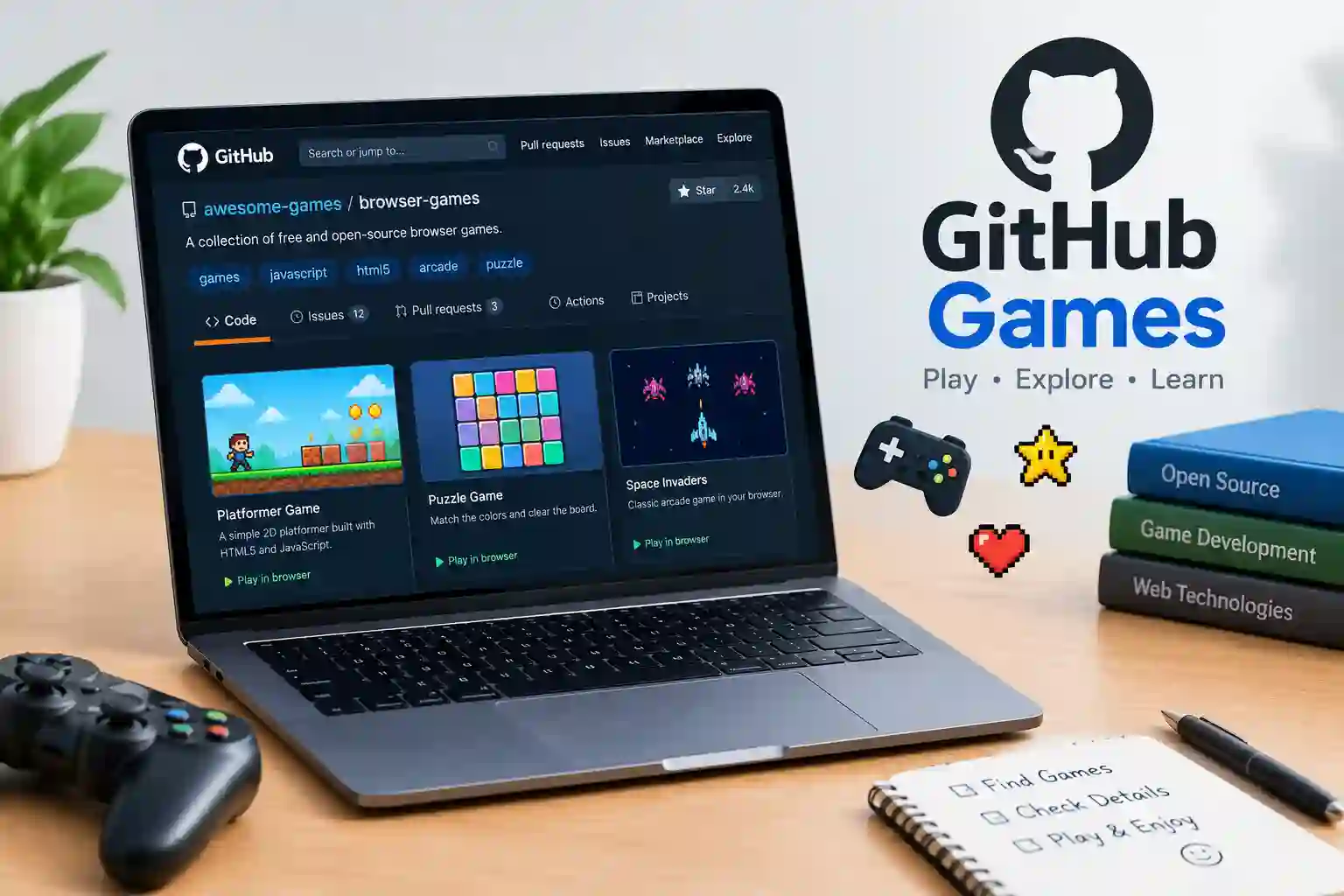
GitHub games have become an interesting option for people who enjoy simple browser games and open-source projects. Many players search for GitHub games to find free entertainment, discover hidden game projects, or play something without installing large applications. However, finding a useful game can feel confusing when repositories contain code, technical instructions, and unfinished projects.
Fortunately, GitHub offers ways to explore games created by developers around the world. Some projects run directly in web browsers, while others require downloads or additional software. By understanding how repositories work, players can find suitable games, check their safety, and learn how different projects operate. This guide explains how to explore GitHub games, discover popular game types, and avoid common mistakes.
What Are GitHub Games?
Understanding Games Hosted on GitHub
GitHub games are games shared through repositories on GitHub, a platform used to store and manage software projects. Developers upload source code, game assets, instructions, and other project files. Some creators also publish playable versions through websites or GitHub Pages. As a result, players can discover everything from simple puzzles to small arcade experiences.
However, GitHub is not a dedicated gaming store. It mainly helps developers manage and share their work. Therefore, a repository might contain a playable game, an early experiment, or code that needs technical setup. Players should check each project’s description before expecting an instant gaming experience. This simple step helps them choose projects that match their devices and experience levels.
How GitHub Games Differ From Traditional Online Games
Traditional gaming websites usually present games through menus, thumbnails, and play buttons. In comparison, GitHub repositories often show files, folders, documentation, and programming information. This layout can appear unfamiliar to beginners, but it provides useful details about how each project works.
Furthermore, GitHub games may offer greater transparency because their source code can be available for inspection. Developers can study the code, suggest changes, or create their own versions when licensing permits. Nevertheless, publicly available code does not automatically guarantee safety or quality. Players should still inspect project details and avoid running unfamiliar files without understanding their purpose.
Why People Search for GitHub Games
People explore GitHub games for several reasons. Some want lightweight entertainment, while others enjoy discovering creative projects outside mainstream gaming platforms. Students and beginner programmers may also use these projects to understand game design, coding, and browser technology.
Additionally, many small games work well on ordinary computers because they do not require advanced graphics hardware. Browser-based projects can be especially convenient when they need only a modern browser. However, requirements vary by project. Checking the instructions first helps players understand whether a game needs an internet connection, downloaded files, or extra software.
How to Find GitHub Games Online
Search GitHub for Game Repositories
The simplest way to discover GitHub games is through GitHub’s search feature. Users can search for terms such as browser games, JavaScript games, HTML5 games, puzzle games, or arcade games. These phrases help narrow results toward particular game styles or programming technologies.
For broader discovery, GitHub also provides topic pages that group repositories by subject. Its browser-game topic can help readers find projects related to browser gaming. However, search results can include experiments, tutorials, and unfinished work. Therefore, checking the description, recent updates, and available instructions remains important before selecting a project.
Use Repository Details to Choose a Game
A repository’s description often explains its purpose and basic features. Some projects include screenshots, demonstration links, setup instructions, or a list of supported browsers. These details help readers decide whether the game suits their needs before spending time exploring its files.
Furthermore, repository activity can offer useful clues. Recent updates may indicate continued development, while open issues can reveal known problems. However, an old repository is not automatically unsafe or unusable. A simple game may work perfectly without frequent changes. Players should consider the project’s actual condition rather than relying on one detail alone.
Find Playable Games Instead of Source Code
Not every game repository includes a ready-to-play version. Some projects provide only source files, which developers must run locally or build into a working application. Beginners can save time by looking for a live demo, published website, or clear installation instructions.
GitHub Pages can publish certain websites directly from a repository. Therefore, some developers use it to share browser games that run on a published webpage. Readers can learn about this feature through the official GitHub Pages documentation. Still, the presence of a repository does not mean its game has a live public version.
Popular Types of GitHub Games
Browser Arcade and Retro Games
Arcade games often feature simple controls, short rounds, and clear goals. Common examples include maze games, space shooters, platform games, and classic-style challenges. These projects can be useful for players who want quick entertainment without learning complex controls.
Moreover, retro-inspired games often use simple graphics and familiar mechanics. Developers can build them with JavaScript, HTML, CSS, or game development libraries. Some projects recreate classic gameplay ideas, while others introduce original characters and challenges. Before playing, users should check the game’s controls and whether it runs in a browser or requires installation.
Puzzle and Word Games
Puzzle games appeal to people who enjoy solving problems rather than competing through fast action. GitHub repositories may include word puzzles, number challenges, logic games, matching activities, and daily guessing games. Their simple design can make them suitable for short breaks or casual play.
Word games are particularly useful examples of small projects with clear rules. A developer can create word lists, guessing systems, scoring features, and hints using relatively simple code. Readers who enjoy word challenges can also explore Quordle-style word puzzles for a related gaming experience. However, each game’s rules and availability depend on its own publisher or project.
Strategy, Simulation, and Experimental Games
Some GitHub games go beyond short arcade sessions. Strategy projects may involve resource management, turn-based decisions, or tactical challenges. Simulation projects can recreate simple systems, such as farming, traffic, or building activities. Their complexity depends on the creator’s goals and development experience.
In addition, GitHub hosts experimental projects that test new ideas. These may explore procedural levels, artificial intelligence, physics, or unusual control systems. Such projects can be fascinating, although they may have bugs or incomplete features. Players should read project notes carefully because experimental software may behave differently from a finished commercial game.
How to Play GitHub Games in a Browser
Step One: Open the Game Repository
First, users should open the repository and read its main description. The README file usually provides essential information about the project, including its purpose, controls, requirements, and setup process. If screenshots or a demonstration link appear, those can help confirm what the game looks like.
Next, users should check whether the project includes a playable website. A link labeled demo, play, or live preview may lead to a browser version. However, players should confirm that the destination looks legitimate before opening it. If the repository contains only code, additional steps may be necessary.
Step Two: Check the Game Requirements
Before running a project, readers should check the listed requirements. Some browser games work with standard HTML, CSS, and JavaScript files. Others need a development server, a specific runtime, or additional libraries. The README may explain these requirements and provide commands for starting the game.
For beginners, projects with clear browser instructions are usually easier to handle. A game that requires command-line tools can still be useful, but it may take more preparation. Players should avoid copying commands they do not understand, especially when those commands request administrator access or change system settings.
Step Three: Understand Browser Compatibility
Most modern browsers support common web technologies, but individual games may rely on specific features. A project might need updated browser software, keyboard input, audio support, or graphics features. Consequently, a game that works on one device may not behave the same way on another.
If a game fails to load, users can try updating their browser or reviewing the repository’s known issues. They can also check whether the project requires a local server instead of opening an HTML file directly. However, they should not disable security protections just to make an unfamiliar game run. A safer alternative is to choose a project with clearer instructions.
Are GitHub Games Safe to Play?
Review the Source and Project Information
GitHub games vary in quality, so users should evaluate each project individually. A repository may include source code, documentation, version history, and discussions that help readers understand its purpose. These details provide more context than an unfamiliar download link alone.
Nevertheless, source code can be difficult for beginners to understand. A large project may contain scripts or dependencies that require technical knowledge to review properly. Therefore, users should favor projects with clear instructions and trustworthy maintainers. They should also avoid running files when the source, purpose, or expected behavior remains unclear.
Avoid Suspicious Downloads and Commands
A browser game should not normally need unrelated personal information or unexplained system permissions. Requests for passwords, payment details, or administrator access deserve extra caution. Likewise, users should not run unknown executable files simply because a repository describes them as a game.
Before downloading anything, readers should check the file type and project instructions. They should also scan downloaded files with trusted security software where appropriate. In addition, they should be cautious with shortened links, unexpected redirects, and commands copied from comments. These habits reduce risk without suggesting that every GitHub project is dangerous.
Understand Open-Source Licenses and Privacy
Some GitHub projects include an open-source license that explains how others may use, modify, or share their code. However, not every public repository grants unrestricted permission. Users should read the license before copying assets, publishing modified versions, or using a project commercially.
Privacy also deserves attention. A browser game may store settings locally, use external services, or connect to a server. Its repository documentation may explain these features, although documentation is not always complete. Players should avoid sharing sensitive information with unknown projects. For children, parents can help assess links, downloads, and any requests for personal details.
How GitHub Games Help Beginners Learn Coding
Explore HTML, CSS, and JavaScript
Many simple browser games use HTML, CSS, and JavaScript. HTML organizes the page, CSS controls its appearance, and JavaScript handles actions such as movement, scoring, and player input. Together, these technologies can create games that run inside a web browser.
Beginners can explore small projects to see how these parts work together. For example, a basic guessing game may compare player input with a hidden answer. A platform game may track movement and collisions. Reading such examples can make programming concepts easier to understand because the code connects directly to visible results.
Learn by Changing Small Features
Once a beginner understands a project, small changes can provide a practical learning exercise. They might adjust colors, change a score limit, add a button, or modify the game’s instructions. Starting with one feature makes it easier to identify mistakes and understand how the code responds.
However, changes should happen in a separate copy or branch whenever possible. This approach protects the original project and makes experiments easier to reverse. Beginners should also read the license before sharing modified versions. Over time, these small exercises can build confidence with debugging, testing, and basic software design.
Understand GitHub Repositories and Collaboration
A GitHub repository is more than a folder of game files. It can track changes, document problems, and support collaboration between developers. Contributors may suggest improvements, report bugs, or submit changes for review. These features help learners understand how software projects develop over time.
Furthermore, version history can show how a game changed between updates. Issues and discussions may explain why a feature was added or removed. Beginners should remember that not every project accepts contributions, and community responses can vary. Still, observing a well-documented repository can teach useful habits for future coding projects.
Common Problems With GitHub Games
The Game Does Not Load
A game may fail to load because its published page is unavailable or its files need additional setup. Incorrect paths, missing assets, browser restrictions, and outdated dependencies can also cause problems. Therefore, the first step is to read the README and check whether the project offers troubleshooting guidance.
If the repository has a live demo, users can compare it with the instructions. They can also review recent issues to see whether other people reported similar problems. However, a broken demo does not always mean the project is unsafe. It may simply be outdated or temporarily unavailable.
Controls or Graphics Do Not Work Properly
Some browser games depend on keyboard controls, mouse input, sound, or graphics features. If a control fails, users should check the game’s instructions and test whether the browser recognizes the input. Full-screen settings, browser extensions, and device limitations may also affect the experience.
Additionally, graphics problems can occur when a project expects features that a device does not support. Updating the browser may help, but it cannot fix every issue. Players should avoid installing unknown extensions or changing important security settings to solve a minor game problem. Choosing another compatible project is often the simplest solution.
The Repository Contains Too Much Technical Information
A repository can feel overwhelming when it contains many folders and programming files. Beginners may not know which file starts the game or where the instructions appear. In that case, the README is usually the best starting point because it often explains the project structure.
Next, readers can look for screenshots, demo links, or simple installation steps. Projects designed for learning may include tutorials or beginner-friendly explanations. If no clear instructions exist, another repository may provide a better experience. There is no need to understand every line of code before enjoying a browser game.
Tips for Choosing the Best GitHub Games
Match the Game to the Player’s Interests
The best game depends on what the player enjoys. Someone seeking a quick break may prefer a word puzzle or arcade challenge. Another person may want a strategy game or a project that teaches programming. Searching with specific terms makes these choices easier.
For example, searches such as “JavaScript puzzle game” or “HTML5 platform game” can narrow the results. Readers can then compare descriptions, screenshots, and playable demonstrations. They should also consider whether the game supports their device and available time. A simple project with clear controls may be more enjoyable than a complicated game that needs extensive setup.
Check Updates, Documentation, and Community Feedback
Project documentation helps users understand what a game requires. Meanwhile, update history and issue reports can reveal whether developers have addressed known problems. A repository with clear instructions may be easier to use than one with no explanation, even when both contain interesting ideas.
However, activity alone should not determine a project’s value. A completed game may not need frequent updates, while a busy repository may still contain bugs. Readers should consider several details together, including usability, transparency, and compatibility. This balanced approach supports better decisions than choosing a project based only on stars or recent activity.
Respect Creators and Project Rules
Game creators spend time designing mechanics, writing code, testing features, and preparing assets. Reading their documentation helps players understand the intended use of each project. If a game includes a license, users should follow its terms when copying or adapting the work.
Giving credit is also a useful practice when sharing permitted modifications. However, credit alone does not replace permission when a license requires it. Players should not assume that every image, sound, or code file is free for commercial use. Respecting creators helps maintain a healthier community for both developers and players.
Frequently Asked Questions
What are GitHub games?
GitHub games are game projects shared through repositories on GitHub. Some include playable browser versions, while others require setup or downloads. Their features and availability depend on each project’s creator.
Are GitHub games free?
Many GitHub game projects can be explored for free. However, individual projects may have specific licensing terms, paid services, or external requirements. Users should review the project information before downloading or reusing its content.
Can GitHub games run in a browser?
Yes, some GitHub games run directly in a browser. They may use HTML, CSS, JavaScript, or other web technologies. Others require local setup, additional software, or a published demo.
How can someone find games on GitHub?
Users can search GitHub with terms such as browser games, arcade games, or puzzle games. Topic pages also help discover related repositories. Checking descriptions and README files helps identify projects that are ready to play.
Are GitHub games safe?
Safety depends on the individual project and how it is used. Users should inspect the repository, avoid suspicious downloads, and never run unfamiliar commands without understanding them. A public repository does not guarantee that every file is safe.
Do GitHub games work on mobile devices?
Some browser games work on mobile devices, but others require a keyboard or desktop browser. Compatibility depends on the game’s design and technology. Users should check the instructions or demo before relying on mobile support.
Can beginners learn coding through GitHub games?
Yes, small game projects can help beginners study basic programming concepts. They can explore how controls, scoring, and game rules work. Making small changes in a separate copy can provide useful practice.
Can someone upload their own game to GitHub?
Yes, developers can create a repository and upload game files according to GitHub’s rules. They can add a README, choose an appropriate license, and publish compatible web projects through GitHub Pages. Before sharing, they should check that they have permission to distribute all included assets.
Conclusion:
GitHub games offer more than a way to pass the time. They can introduce players to creative browser experiences while helping curious beginners understand how games are built. From simple word puzzles to experimental arcade projects, the platform provides many different ways to explore independent game development. However, each repository deserves an individual review because quality, setup requirements, and safety can vary.
To get started, readers can search for browser games, inspect project descriptions, and choose a repository with clear instructions. They should also check compatibility, respect software licenses, and avoid running unfamiliar files. For more gaming guides and technology resources, readers can explore Future Tech Guide and continue discovering useful digital projects.
3 thoughts on “GitHub Games: A Complete Guide to Free Browser Games and Game Projects”