
Many players finish Stardew Valley and then hit a quiet wall. The farm runs smoothly, every villager reaches ten hearts, and the seasons start to repeat. That is exactly when Stardew Valley Expanded enters the conversation. Without fresh content, even a cozy farming game can lose its spark. Meanwhile, today’s gaming trends show that players expect long-term variety from their favorite titles. As a result, veterans often search for something that makes Pelican Town feel new again.
Fortunately, this free fan mod solves the problem in a big way. It adds new villagers, new maps, new fish, and hundreds of story events. This guide explains what the mod includes, how to install it safely, and which farm suits each playstyle. Furthermore, every section relies on facts from the official Nexus Mods page and trusted gaming coverage.
What Is Stardew Valley Expanded?
A Fan-Made Expansion Built With Care
Stardew Valley Expanded is a fan-made expansion for the original farming game. FlashShifter leads the project with help from several co-developers. The mod is free, and it runs through the SMAPI mod loader. A PC Gamer reviewer said it feels like it could have been part of the original game from the start. That praise matters because many mods feel bolted on. In contrast, this project blends art, music, and writing so well that new scenes feel official.
The Numbers Behind the Mod
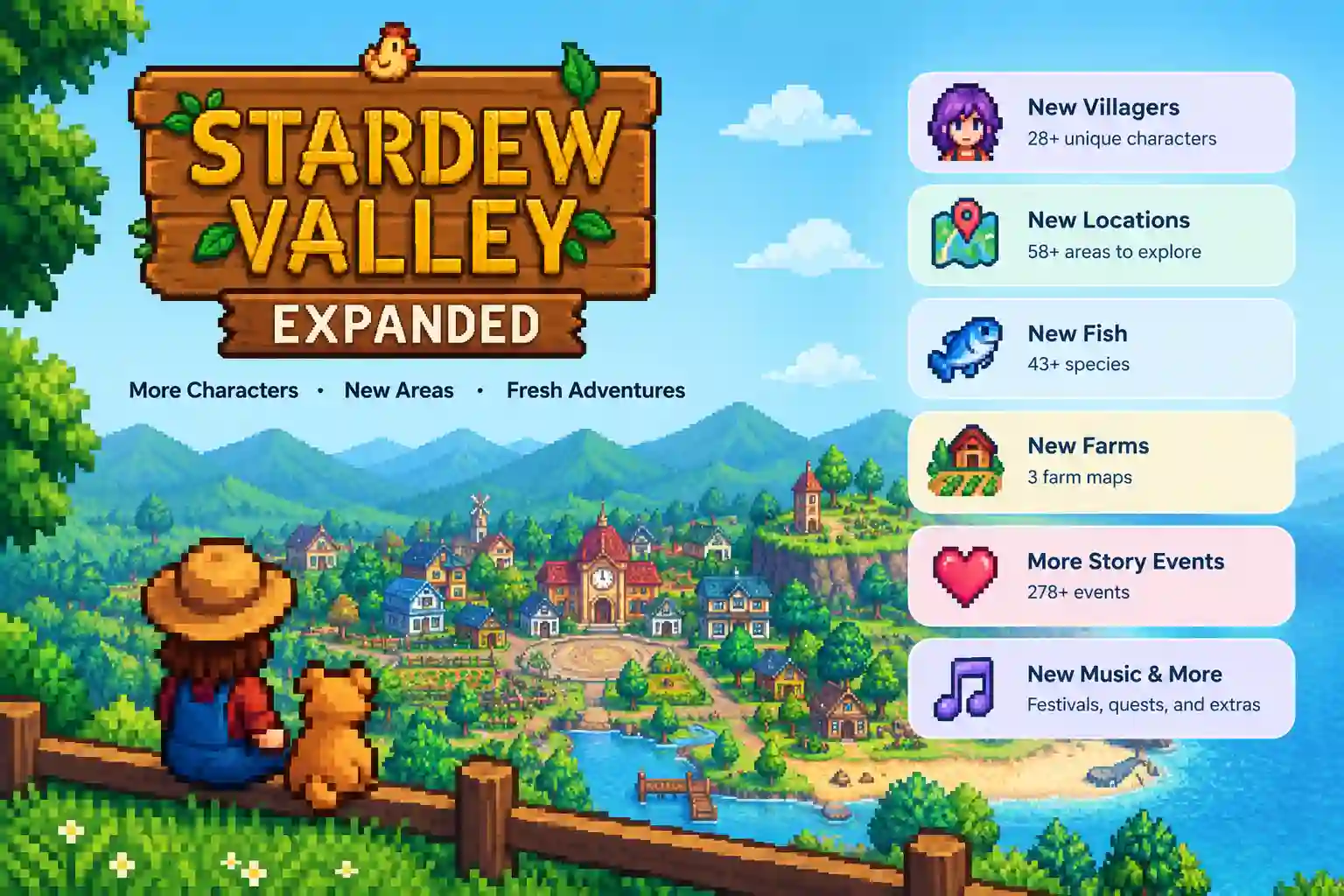
The official Nexus Mods page lists 28 new NPCs, 58 locations, 278 character events, and 43 fish. It also includes three farm maps, new music, questlines, crops, and festivals. However, some older websites still show smaller totals, such as 26 NPCs and 33 areas. Those figures come from earlier versions of the mod. Therefore, the Nexus page remains the safest place to confirm current numbers.
Why It Feels Like Part of the Original Game
Atmosphere matters in a cozy game, and this mod respects it. New characters attend festivals just like the other locals. Moreover, the mod reimagines existing areas instead of only adding new ones. Pelican Town keeps its charm, yet it gains extra depth and detail. Consequently, many players say the mod feels like a sequel built on the same heart. Its pacing, pixel style, and gentle humor all match the base game closely.
New Characters, Romance, and Story Events
Dozens of New Villagers With Real Personalities
The biggest draw of SVE is its roster of new neighbors. Each newcomer has full dialogue, a daily schedule, and personal story events. PC Gamer noted that the new characters have their archetypes cranked up to eleven. As a result, they feel bold and memorable instead of bland. Players meet them through quests, festivals, and random town encounters. Because of this variety, a first meeting rarely feels repetitive.
Marriage Candidates and Heart Events
Romance fans get plenty of new options too. One guide notes that the mod adds several marriageable characters to the existing pool of twelve. Each candidate comes with heart events that deepen the relationship step by step. In addition, the mod contains 278 character events overall, so friendships build slowly and naturally. Players who enjoy story-driven play will find many reasons to start a fresh save.
Bigger Roles for Familiar Faces
The mod does not ignore the original cast. Instead, it gives several existing villagers more screen time and new scenes. For example, Morris, the JojaMart manager, receives an expanded role. This approach keeps old favorites relevant. Meanwhile, newcomers fit in without pushing anyone aside. Therefore, the town feels like one connected community rather than two separate casts sharing a map.
New Maps, Farms, and Places to Explore
Stardew Valley Expanded Farm Maps Explained
The mod ships with three farm choices. Frontier Farm is the recommended pick, with a huge plot of land near the Ferngill Republic frontier. It features many wild trees and its own quests. Grandpa’s Farm offers a modest sandbox layout for players who like a smaller start. Finally, Immersive Farm 2 Remastered is built with multiplayer in mind. Each layout changes how players plan fields, barns, and paths.
Reimagined Pelican Town and Fresh Regions
With 58 locations, the world grows far beyond the vanilla map. The mod reimagines existing areas and adds plenty of new ones. Players can explore new forests, shops, homes, and hidden corners. Some regions sit farther away, so travel takes longer at first. However, vanilla warp totems solve that problem once players craft them. Because of this, exploration feels rewarding rather than tiring.
Seasonal Looks and Custom Forage
Small touches make the world feel alive. Optional seasonal edits add leaves and snow to buildings, so each season looks distinct. Furthermore, custom forage spawns and other random elements fight the repetition some players notice in the base game. Each region also has its own forage items. As a result, walking through the valley stays interesting long after the first week. These details reward curious players who check every path.
Fish, Quests, Festivals, and Optional Features
Forty-Three New Fish to Catch
Fishing fans have a lot to celebrate here. The mod adds 43 new fish, and the Shockbyte blog notes that even individual skills such as fishing receive major overhauls. New lakes, rivers, and hidden ponds hold different species. Therefore, anglers must learn new spots, seasons, and weather patterns. Many players keep a notebook or wiki tab open during their first run.
Questlines and Festivals
Questlines give the new areas a sense of purpose. Players follow stories that unlock locations, items, and villager scenes. In addition, new festivals bring the full cast together, including the added characters. These events break up the daily routine nicely. They also give players clear goals during slow seasons. Consequently, the mod works well for both relaxed farmers and completionists.
Optional Settings for Custom Play
The mod includes several configuration choices. Players can enable community bundles and mature events if they want them. Other options include seasonal building edits and different farm map setups. Balance and bug fixes also ship with each update. Because of these settings, every player can shape the experience to match personal taste. Still, a new save file is required, so planning ahead helps.
How to Install Stardew Valley Expanded
Prepare the Base Game and SMAPI
Installation starts with the base game and SMAPI, the Stardew Modding API. Players should download the installer from smapi.io and match it to their game version. Version mismatches cause common errors. One forum user, for instance, saw a warning that SMAPI only supported up to version 1.5.6 while the game ran 1.6.3. Updating both tools together prevents that problem. Therefore, always check versions before downloading anything else.
Download and Place the Files
Follow these simple steps for a clean setup:
- Download the mod from the official Nexus Mods page.
- Install every required framework mod listed on that page.
- Extract all mod folders into the Mods directory of Stardew Valley.
- Launch the game through SMAPI, not the normal launcher.
- Start a brand-new save and choose a farm map.
Players should avoid unofficial mirrors. Some copy-paste sites host outdated or unsafe files.
Check the Log and Update After Patches
After launch, the SMAPI console shows whether the mod is loaded. Red error lines point to missing or outdated files. Players can paste the log into the SMAPI log parser for quick help. Moreover, one guide warns that SVE updates alongside Stardew Valley patches, so players should update right after any game update. This habit saves hours of troubleshooting. It also keeps saves safe from avoidable crashes.
Tips, Mistakes, and Multiplayer Play
Pick the Right Farm for Your Style
Choosing a farm shapes the whole run. Players who love wide open space should pick Frontier Farm. Those who prefer a tidy, classic feel often choose Grandpa’s Farm. Meanwhile, groups playing together should consider Immersive Farm 2 Remastered. Each map changes travel time to shops, mines, and fishing spots. Because the choice is hard to undo, reading the Nexus descriptions first is wise.
Common Mistakes to Avoid
Most problems come from a few repeat errors. Players can avoid them with this short checklist:
- Loading the mod on an old save instead of a new one.
- Skipping a required framework mod.
- Forgetting to update after a game patch.
- Mixing many map mods that overwrite the same areas.
Each mistake is easy to fix. However, prevention saves far more time than repair.
Playing Stardew Valley Expanded With Friends
Co-op fans can share the new content. The mod adds extra layers of content for multiplayer play. Hosting a dedicated server also helps groups play at different times. Generally, every player should use the same mod versions and files. Otherwise, connection errors appear quickly. Therefore, one person should share an exact file list with the whole group before the first session.
Remixing Other Games Beyond Stardew
Why Players Love Game Customization
Stardew mods show how much fans enjoy reshaping favorite games. Players want new stories, new maps, and fresh rules. Modding keeps older titles alive for years. Furthermore, it lets communities fix gaps that developers never had time to fill. This culture of sharing is one reason cozy games stay popular long after release day.
A Different Kind of Remix
Content mods are only one style of customization. A Pokémon randomizer takes another route by shuffling starters, wild encounters, and trainer teams. The base story stays the same, yet every run feels unpredictable. Both approaches share one goal: making a familiar game surprising again. Players who enjoy Stardew Valley Expanded may like experimenting with this style too.
Frequently Asked Questions
What is Stardew Valley Expanded?
It is a free fan-made expansion for Stardew Valley. It adds new NPCs, locations, fish, farms, events, and music. The mod runs through SMAPI and is hosted on Nexus Mods.
Is the mod free to download?
Yes, the mod is free on its official Nexus Mods page. Players should avoid sites that ask for payment or hide files behind surveys. Official downloads are safer and stay up to date.
Does it need SMAPI?
Yes, SMAPI is required for nearly all Stardew mods. It loads the files and reports errors in a console window. Players should install the version that matches their game.
Can it be added to an existing save?
No, the mod needs a new save file. Starting fresh prevents map and event conflicts. Players can still keep their old save for the base game.
Which farm map is best?
Most guides suggest Frontier Farm as the recommended choice. It offers wide land, wild trees, and special quests. Grandpa’s Farm suits smaller, simpler starts.
Does it work in multiplayer?
Yes, the mod supports multiplayer, and one farm is built for it. Every player needs the same mod files and versions. Matching setups prevent most connection problems.
Is it compatible with Stardew Valley 1.6?
The mod receives updates to follow new game versions. Players should check the Nexus page for the latest compatibility notes. Updating SMAPI and all required mods at the same time is best.
Why is the mod not showing up in the game?
The usual causes are a missing framework mod, an outdated SMAPI, or the wrong folder. Checking the SMAPI log reveals the exact problem. Reinstalling the files cleanly often fixes it.
Conclusion
Stardew Valley Expanded turns a finished game into a fresh adventure. It adds 28 villagers, 58 locations, 278 events, and 43 fish while keeping the original charm. Moreover, its farms, festivals, and optional settings suit solo players and groups alike. Careful installation and regular updates keep everything running smoothly. For these reasons, the mod remains one of the best ways to return to Pelican Town.
Ready to start? Download SMAPI, grab the mod from Nexus Mods, and begin a new save today. Pick a farm, meet the new neighbors, and enjoy the extra seasons. Keep exploring more game guides and tech tips on Future Tech Guide for your next big upgrade.