
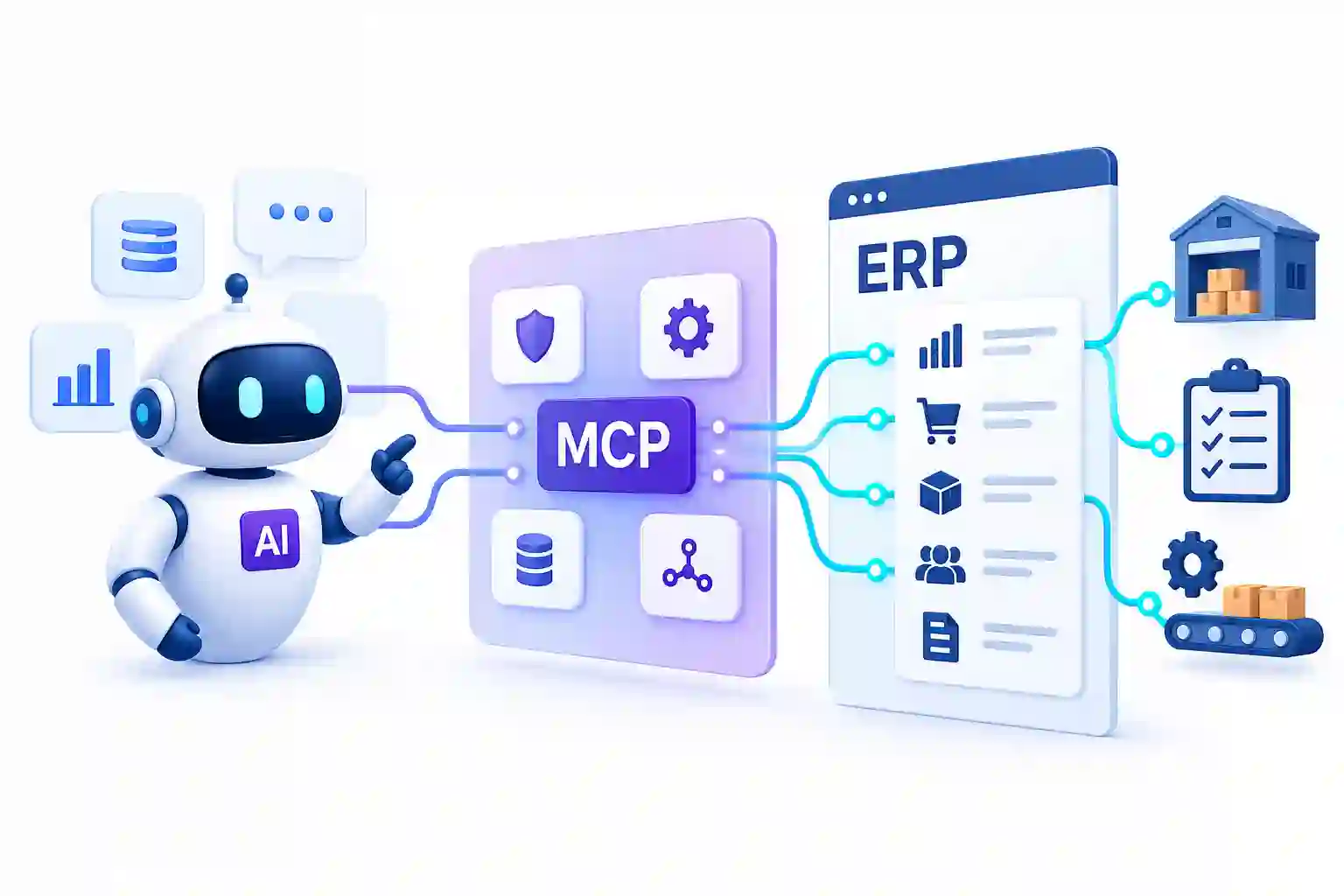
AI agents are becoming capable of doing more than answering questions. They can analyze information, make decisions, use external tools, and execute tasks across business workflows. But there is still a major gap between what an AI agent can understand and what it can actually do inside an enterprise system.
That gap becomes obvious when AI needs to work with ERP software. An agent may be able to identify that inventory is running low, a supplier order is delayed, or an invoice is overdue but acting on that information requires secure access to the systems where those transactions live. This is why enterprise AI agent development services are increasingly focused not just on building intelligent agents, but on connecting them with real business applications.
Model Context Protocol (MCP) is emerging as one possible answer to this connectivity problem. Instead of treating AI as a separate layer that only reads or generates information, MCP can provide a structured way for AI agents to interact with tools and external systems. When that approach reaches ERP, it could change how businesses access data, automate workflows, and interact with enterprise software.
What is MCP?
Model Context Protocol (MCP) is an open standard that allows AI applications to connect with external tools, data sources, and services in a structured way. Instead of building a separate custom connection for every AI application and business system, MCP provides a common framework for making those capabilities available to AI models.
The distinction matters because an AI model can generate an answer without having the ability to take action. An AI agent connected through MCP can potentially access specific tools, retrieve relevant information, and perform approved operations through those tools.
For enterprise software, this creates an additional layer between the AI agent and the systems running the business. An ERP could expose selected capabilities such as checking inventory, retrieving an order status, or preparing a purchase transaction while keeping authentication, permissions, and business rules under controlled access.
MCP therefore isn’t an ERP replacement or another ERP platform. Its potential value lies in creating a more standardized way for AI agents to interact with the software businesses already depend on.
Why Connecting AI to ERP Is Difficult
Connecting an AI agent to an ERP system is more complicated than giving an AI model access to an API. ERP platforms contain sensitive business data, complex workflows, and actions that can directly affect operations.
The main challenges include:
- Complex integrations: ERP systems often have hundreds of functions, modules, APIs, and custom workflows that an AI agent may need to understand.
- Different data structures: Customer, inventory, procurement, accounting, and manufacturing data may follow different structures and business rules.
- Permissions: An AI agent that can read inventory data should not automatically have permission to create purchase orders or modify financial records.
- Real-time information: Business decisions depend on current stock levels, order status, supplier information, and other frequently changing data.
- Security and compliance: Enterprise systems need controlled authentication, access policies, and auditability when AI is allowed to interact with business data.
- Custom integrations: Building individual connections between every AI application and every enterprise system can become difficult to maintain as the technology stack grows.
This is where a standardized interaction layer becomes useful. Rather than giving an AI agent unrestricted access to an ERP, organizations can expose specific tools and capabilities that the agent is allowed to use. MCP provides a framework for structuring that interaction, making the connection between AI agents and enterprise software more manageable.
How MCP Could Connect AI Agents With ERP
MCP becomes more interesting when an AI agent needs to move from understanding business information to actually working with it. Instead of giving the agent unrestricted access to an ERP, MCP can expose specific tools and actions that the agent can use within defined permissions.
A simplified workflow could look like this:
User request → AI agent → MCP → ERP tool → ERP data or action
For example, a user could ask an AI agent:
“Do we have enough raw material to fulfill this week’s production orders?”
The agent could use an MCP-connected ERP tool to retrieve current inventory, review pending receipts, and compare available materials with production requirements. It could then return an answer based on the latest operational data.
The same approach could support other workflows:
- Inventory: Check current stock, incoming shipments, or material availability.
- Procurement: Identify shortages and prepare a purchase request for approval.
- Sales: Retrieve order status, customer information, or delivery details.
- Finance: Check invoice status or retrieve transaction information.
For businesses running ERP alongside other applications, Odoo multi-platform integration services can also help connect ERP data and workflows with external systems, creating a broader foundation for AI-driven processes.
The important point is that MCP does not need to give an AI agent control over the entire ERP. It can provide access to specific capabilities while the underlying system continues to manage business rules, authentication, and permissions.
What AI Could Do Inside an ERP
The value of connecting AI agents with ERP systems becomes clearer when looking at practical workflows. Instead of simply retrieving information, an agent could combine data from different modules and help move a process forward.
1) Procurement
An AI agent could monitor inventory levels, review upcoming production requirements, compare supplier information, and identify materials that may need to be ordered. Rather than automatically placing an order, it could prepare the purchase request and send it for approval.
2) Inventory
AI agents could answer questions about available stock, incoming shipments, reserved quantities, and potential shortages. They could also identify unusual inventory movements that may require further investigation.
3) Finance
An agent could retrieve invoice details, identify overdue payments, summarize transactions, or answer questions about financial records without requiring users to manually search through multiple ERP screens.
4) Manufacturing
For manufacturing teams, an AI agent could combine production orders, material availability, and scheduling information to identify potential delays. It could highlight a material shortage or suggest which production order may be affected.
The Biggest Change: From ERP Screens to AI Interfaces
Traditional ERP software requires employees to navigate menus, search through records, and move between different modules to complete a task. Even when all the required information exists in the system, finding and interpreting it can take several steps.
AI agents could introduce a different interaction model.
Instead of:
Open ERP → Find record → Check data → Move to another module → Take action
The workflow could become:
Ask AI → Agent interprets the request → Retrieves relevant ERP data → Performs an approved action
For example, instead of manually checking inventory, purchase orders, and production schedules, a manufacturing manager could ask:
“Which production orders are at risk because of material shortages?”
The agent could retrieve information from the relevant ERP functions, connect the results, and present the affected orders with the underlying reasons.
This does not mean ERP screens disappear. Complex operations will still require traditional interfaces, especially for reviewing detailed records and approving sensitive transactions. The bigger change is that AI could become another interface for accessing ERP capabilities, allowing users to work with business systems through natural language and task-oriented interactions.
Security and Human Approval Still Matter
An AI agent should not have unrestricted access to an ERP system. The ability to read inventory data is one thing; the ability to create purchase orders, change financial records, or approve transactions is another.
That makes permissions a central part of AI-ERP integration. Businesses need to define exactly which tools an agent can access, what actions it can perform, and when a human must approve the result.
A practical approach can include:
- Permission-based tools: Give agents access only to the ERP functions required for their specific tasks.
- Read and write separation: Allow an agent to retrieve information without automatically giving it permission to modify records.
- Approval workflows: Require human approval before high-impact actions such as financial transactions or purchase orders are finalized.
- Audit trails: Record which agent performed an action, what information it used, and when the action occurred.
- Human oversight: Keep people involved when decisions involve significant financial, operational, or compliance consequences.
For example, an AI agent could identify a shortage, compare available suppliers, and prepare a purchase order. The final approval could still remain with a procurement manager.
This model gives businesses the benefits of AI-driven automation while keeping sensitive ERP operations under controlled access.
What This Means for the Future of Enterprise Software
MCP does not mean businesses need to replace their ERP systems with AI. Instead, it could change how people interact with the systems they already use.
ERP would continue to act as the system of record, managing structured business data, transactions, workflows, and permissions. AI agents could operate as an intelligence and interaction layer on top of that foundation, helping users find information, connect data across processes, and initiate approved actions.
Consider a manufacturing workflow. A production manager asks, “Can we complete next week’s production orders with the materials currently available?” The AI agent could check production orders, compare required quantities with current inventory, review incoming purchase orders, and identify any shortages. If additional material is required, it could retrieve approved supplier information and prepare a purchase request for human approval.
Today, those steps may require employees to move between several ERP modules and manually connect the information. With an AI agent connected to approved ERP tools, the same workflow could be handled through a single request while the ERP remains responsible for the underlying records and transactions.
This could gradually shift enterprise software from screen-driven workflows toward more task-oriented interactions. Employees may spend less time navigating individual modules and more time describing the outcome they need while AI handles the underlying steps.
MCP is still an evolving technology, so it is too early to assume it will become the standard connection layer for enterprise AI. But the underlying direction is clear: AI agents need reliable access to business systems if they are going to move from generating answers to executing useful work.
Conclusion
AI agents are becoming more useful as they gain the ability to work with real business systems rather than simply generate responses. ERP platforms already contain the operational data, workflows, and transaction logic those agents need, but connecting the two safely remains a significant challenge.
MCP offers a potential way to create a more structured connection between AI agents and enterprise software. By exposing specific tools and capabilities while maintaining permissions and human approval, businesses could allow AI to interact with ERP workflows without giving it unrestricted control.
The result could be a different way of working with enterprise software: employees describe the outcome they need, AI coordinates the required steps, and the ERP remains the trusted system where business transactions are recorded.
For businesses planning to connect AI agents with ERP workflows, the starting point is not simply adding an AI layer. It is evaluating existing processes, integrations, data structures, permissions, and the ERP capabilities that AI will need to access. An experienced Odoo ERP software development company can help businesses assess those requirements, extend ERP functionality, and build the integrations needed for AI-driven workflows.
The opportunity is not to replace your ERP with AI. It is to make the ERP work more intelligently.